Weekly church bulletins
Your Monday bulletin draft is already waiting.
Your church already has the information. Connect your calendar and let the week’s bulletin start there — drafted automatically, reviewed by your team, and published on schedule.
No credit card required.
The part that stings
You already entered this information once.
Every detail in Monday’s bulletin exists somewhere else first. Someone still spends the morning moving it by hand.
- CalendarThe dates and times are already there.
- Last weekThe formatting already exists.
- EmailMinistry leaders already sent the details.
- SubsplashThe event is already published to the church app.
Your bulletin shouldn’t require retyping information your church already maintains.
The rhythm
Built around the week you actually work.
Not a blank editor waiting for you to remember it exists. A schedule that moves on its own, and stops when it should.
- MondayDraft
Your draft is waiting.
Events sync from your connected calendars and the week’s bulletin is drafted. Your team gets an email that it’s ready.
- Calendars synced
- Draft generated
- Staff notified
Men’s CoffeeVictory YouthYoung AdultsDrafted from 3 calendar sources.
- WednesdayIn review
One last check before the weekend.
Calendars sync again. Anything that moved since Monday is reconciled, conflicts are surfaced, and your team gets the final preview.
- Re-synced
- Changes reconciled
- Preview sent
Men’s CoffeeVictory YouthWed · 6:30 PMWed · 7:00 PMYoung Adults1 time changed since Monday — needs review.
- Thursday & FridayPaused
Nothing moves behind your back.
Automation stops completely. No syncing, no regenerating, no surprises in the two days when nobody wants any.
- Automation paused
- No changes applied
Men’s CoffeeVictory YouthYoung AdultsAutomation paused until Saturday.
- SaturdayPublished
Approved. Published. Verified.
The bulletin your team approved publishes on schedule — and the system checks the public page actually responds.
- Published
- Public URL verified
Men’s CoffeeVictory YouthYoung AdultsPublished · public page responding.
Review
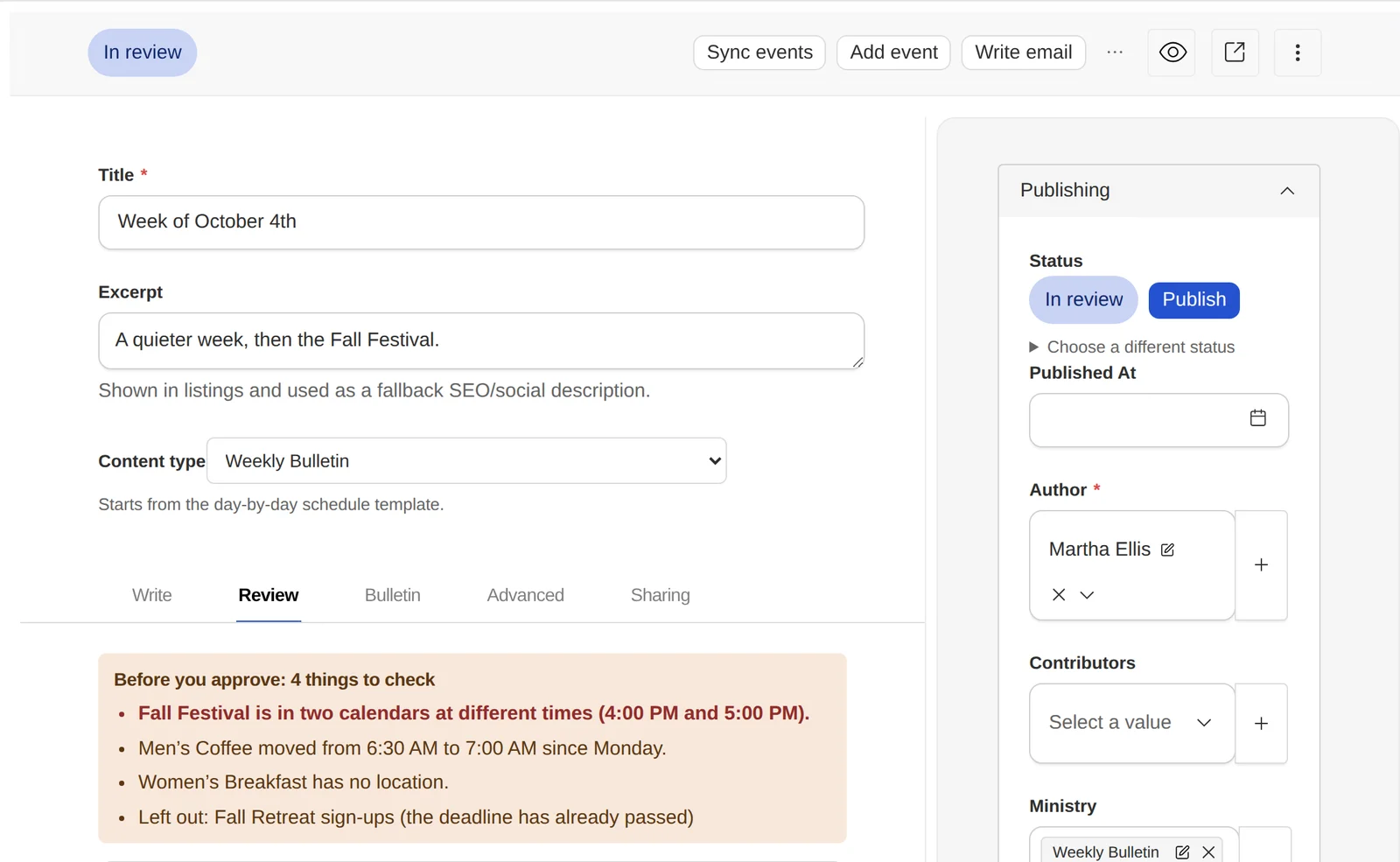
AI does the first pass. Your team has the final word.
The draft arrives with its own problems already marked, so reviewing means checking four specific things rather than proofreading the whole page hoping to catch something.
The AI drafts. People decide.
Getting events in
Use the calendar you already have.
Four ways in, because churches don’t all keep their calendar in the same place.
Connect Subsplash
Paste the calendar or embed URL. Events sync from there each week.
Calendar feed
An ICS feed, an RSS feed, or a SnapPages calendar.
Upload a PDF
Pull event information out of a document you already made.
Paste information
Drop in event text and let the system structure it.
Change detection
When the calendar changes, you know.
If Wednesday’s youth night moves from 6:30 to 7:00 after the bulletin already mentions it, you see both times before anything publishes. Nothing is quietly rewritten behind you.
The same goes for duplicates: if one event turns up in two calendar sources, it’s flagged rather than merged — each source usually carries details the other doesn’t.
Approval
A real review process. Not whoever clicked publish.
- Draft
- In Review
- Changes Requested
- Approved
- Scheduled
- Published
- Archived
- ContributorAdds information for their ministry.
- AuthorWrites and submits posts for review.
- EditorReviews, requests changes, and approves.
- AdministratorManages the team, calendars, and settings.
- OwnerEverything, including billing.
Version history and scheduled publishing come as standard. Team members can be restricted to specific ministries.
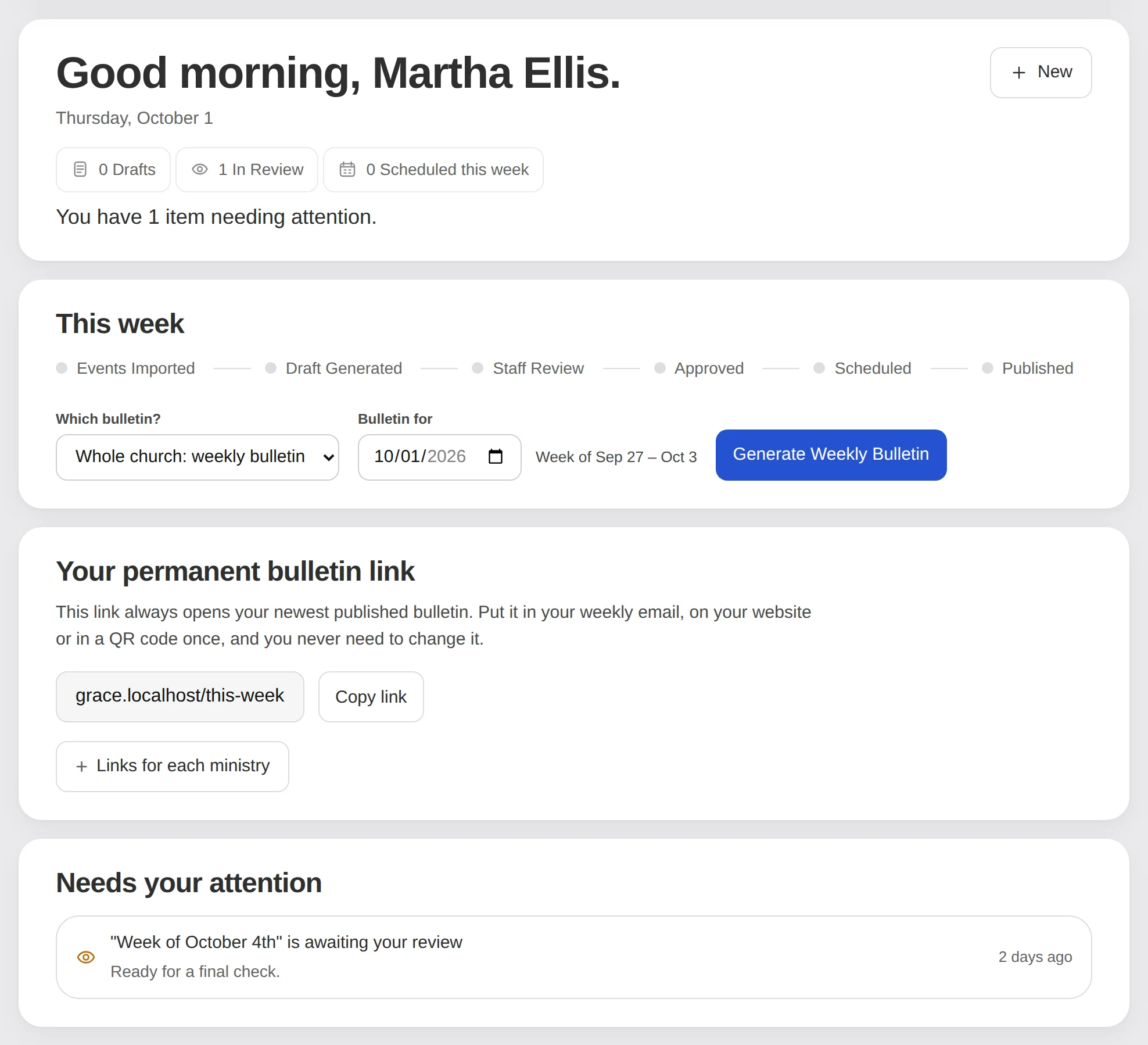
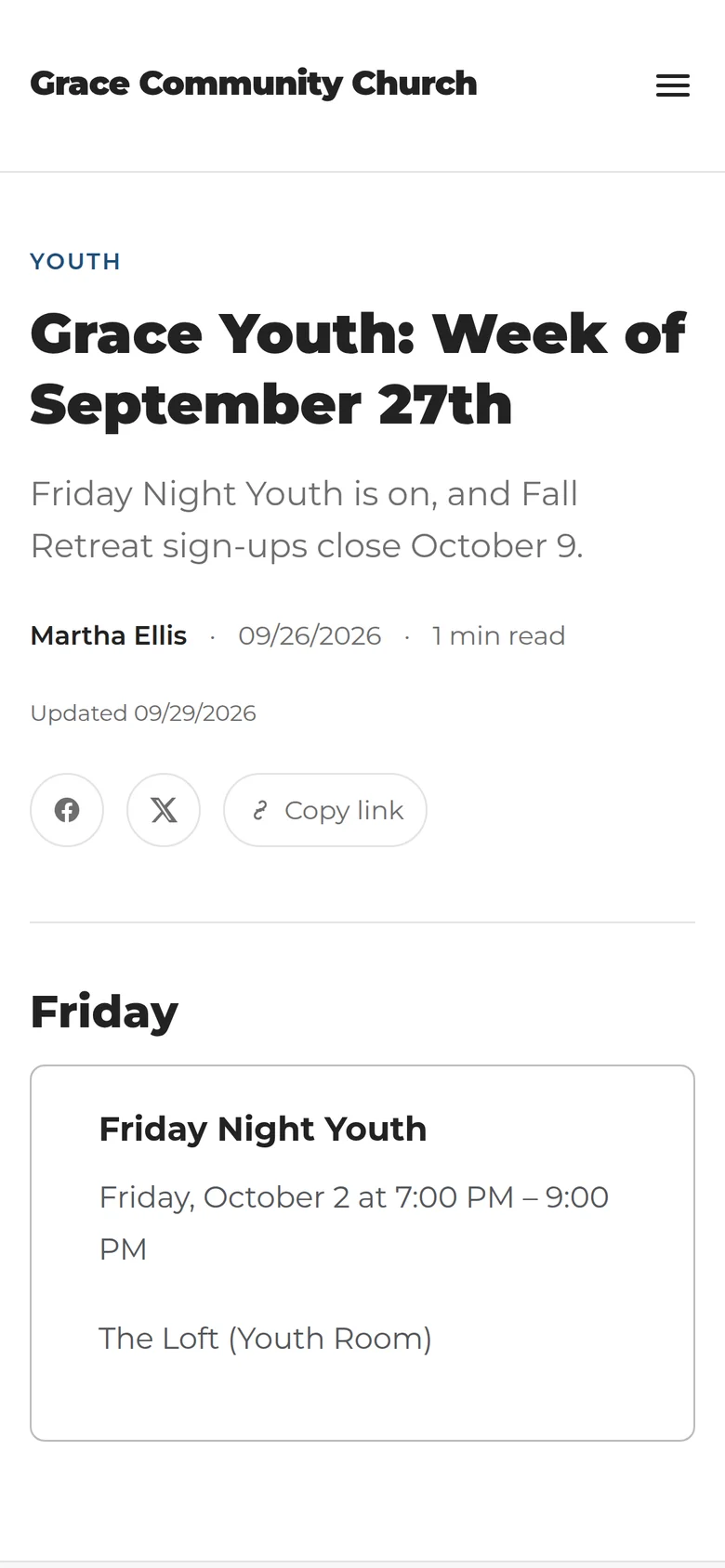
This week
Week of August 30
The public side
And the bulletin becomes something people can find again.
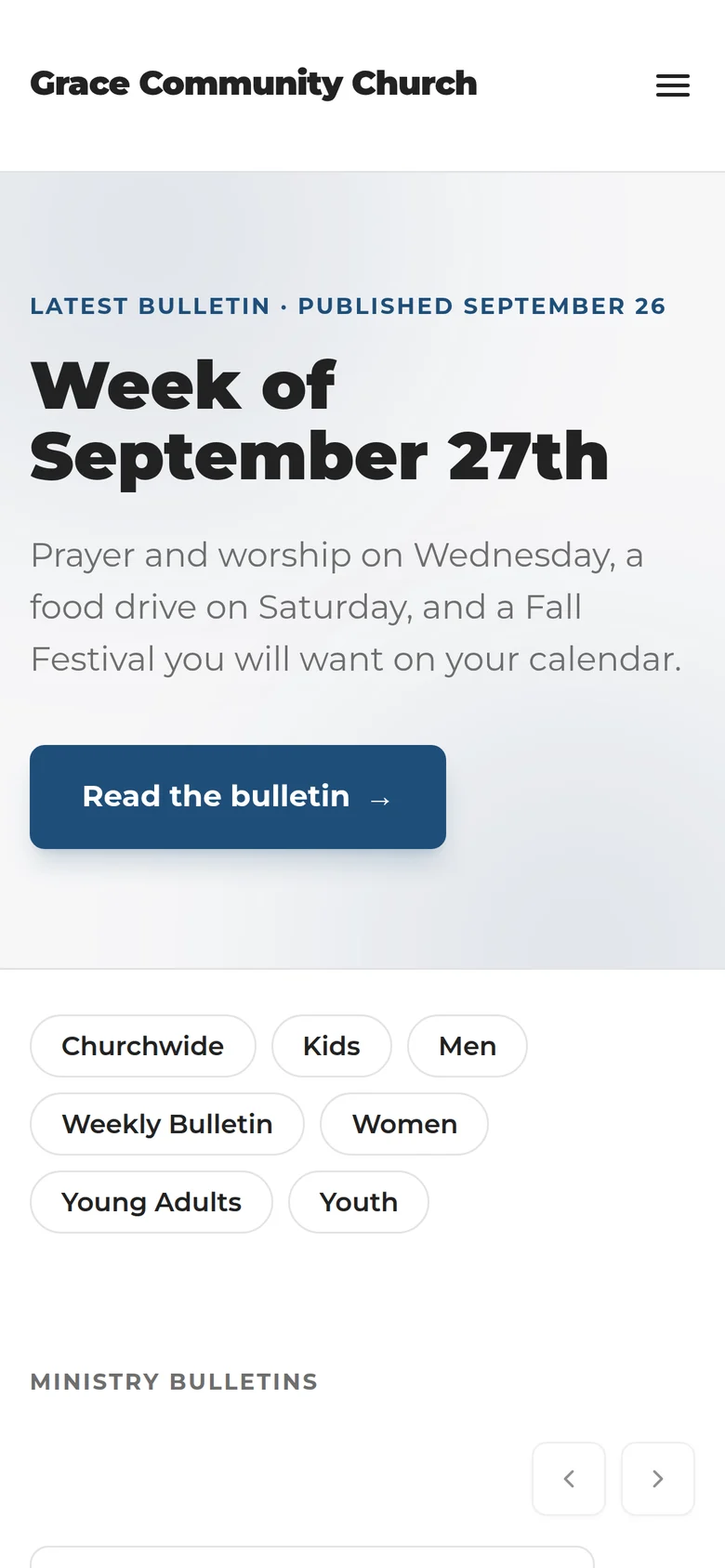
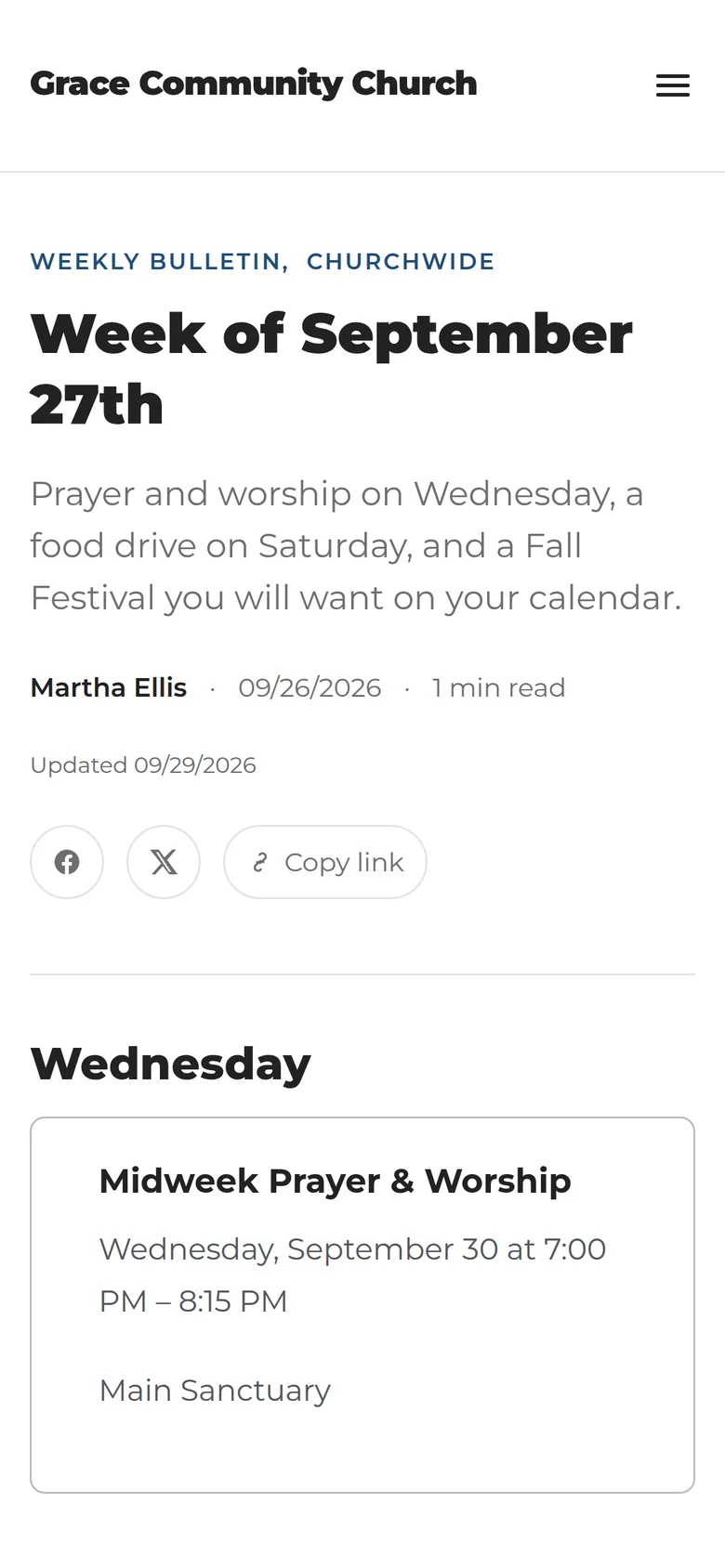
Instead of disappearing into a PDF attachment, each week becomes part of a searchable archive your congregation can actually go back to.
- This week’s bulletin, front and centre
- Ministry pages and a per-ministry filter
- Upcoming events
- Full archive and search
- RSS feed and sitemaps
- Your church’s own logo, colours, and typefaces
This is a bulletin site, not a replacement for your main church website.
Your team
Built for the people who actually keep church communication moving.
A promise worth reading
Your congregation shouldn’t lose Sunday’s information because a card expired.
If a payment fails and the grace period runs out, your staff may lose access to the admin. Your public bulletin site stays online — service times, events, and every bulletin you’ve already published keep serving as normal.
Every church’s posts, events, staff, media, and ministry data are kept separate from every other church on the platform. Billing runs through Stripe’s own hosted pages, so card details never touch this product.
Written for humans
Made for volunteers. Not CMS administrators.
You should be able to tell what a setting does without knowing how the software works.
Plans
Two plans. Start on either one free.
Basic
For churches that need one reliable weekly bulletin.
- Automated weekly bulletin
- Calendar imports
- AI-assisted draft
- Review and approval workflow
- Up to 3 team members
- One ministry bulletin
- A bulletin web address
Pro
For churches coordinating communication across ministries.
Everything in Basic, plus:
- Unlimited team members
- A separate bulletin for every ministry
- Connect your own domain
14-day free trial. No credit card required. Save 5% paying annually.
Questions
The things churches ask first.
Will AI publish something without us reviewing it?
No. A draft is generated, but it moves through your own review and approval steps before anything goes out. Nothing publishes that a person on your team hasn’t approved.
Do we have to replace our church website?
No. This produces a dedicated bulletin site — the week’s bulletin, your ministry pages, and a searchable archive. Your main church website stays exactly where it is, and you can link to the bulletin from it.
Can we use the calendar we already have?
That’s the intended way to use it. You can connect Subsplash, an ICS feed, an RSS feed, or a SnapPages calendar. You can also upload a PDF or paste event text and let the system structure it.
Does it work with Subsplash?
Yes. Paste the calendar or embed URL and events sync from there.
Can several staff members review the bulletin?
Yes. You invite people by email, give them a role, and optionally restrict them to specific ministries. Review comments are threaded on the post itself.
What happens if an event time changes after the bulletin already mentions it?
You see both times. When a synced event changes at the source, it is flagged for review with the previous and current values side by side rather than quietly rewritten. If the same event appears in two calendar sources, that gets flagged too — never silently merged, because each source usually carries details the other doesn’t.
Can each ministry have its own bulletin?
On Pro, yes — a separate bulletin for every ministry. Basic includes one.
Can we use our own domain?
Pro supports connecting a domain you already own. You get the exact DNS records to hand your registrar.
Do you sell domains?
No. You bring one you already own; we only connect it.
Is there a mobile app?
No native app. The bulletin site and the admin are both responsive and work on a phone.
Can it send our church email newsletter?
No. Emails go to your staff about the week’s workflow — the draft is ready, here’s the preview. Sending a newsletter to your congregation isn’t something this does.
Does it generate a printed PDF?
No. It publishes a web page, not a print layout.
Is there a free trial?
14 days, and no credit card to start.
Monday is coming either way.
Open the week with a draft instead of a blank page.
No card required.