How it works
One week, start to finish.
The product runs on a fixed weekly rhythm. Here is exactly what happens, on which day, and where your team steps in.
Monday
The draft is ready.
Early Monday the week’s events come in from your calendar and the bulletin is written. Your team gets an email.
Tuesday
You look it over.
Fix what the draft points out, add anything personal, and approve it.
Wednesday
A last check.
Calendars are read again. Anything that moved since Monday is flagged, and a preview goes out.
Thursday and Friday
Nothing moves.
No syncing and no rewriting. What you approved stays exactly as it is.
Saturday
It goes live.
Early Saturday the approved bulletin publishes. If nobody approved it, nothing goes out.
Sunday
Your church reads it.
On a phone in the lobby, or at the same link as every other week.
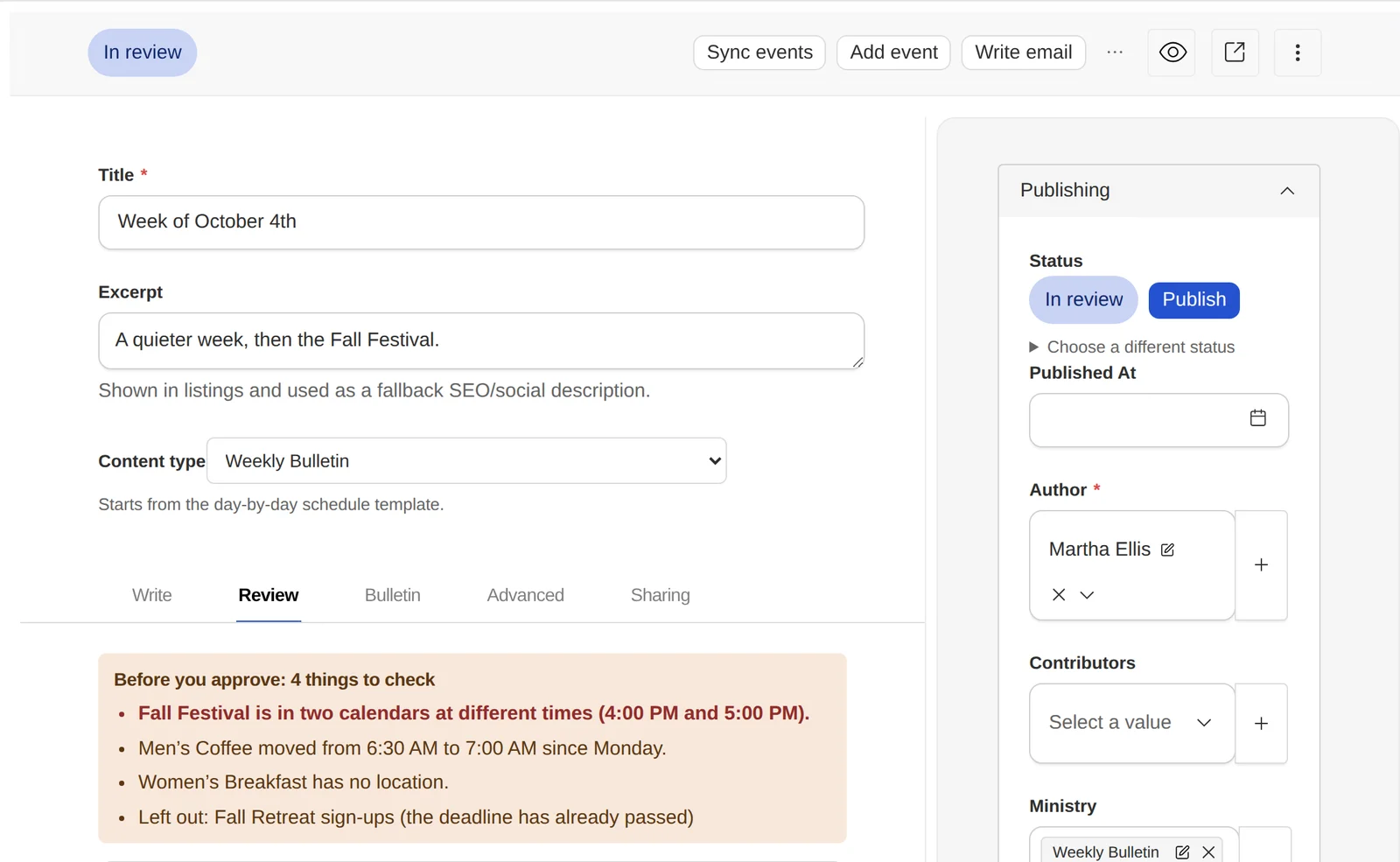
What your team sees before approving.
Each draft lists what it isn’t sure about. Your team fixes those, leaves notes for each other on the draft itself, and presses Publish when it’s right.
Four things once, then it runs.
Setup is the only part that takes real attention, and it happens one time.
Connect a calendar
Paste a Subsplash URL, an ICS or RSS feed, or a SnapPages calendar. This is the only step that touches anything technical, and it happens once.
Set your times
The Monday, Wednesday and Saturday times are yours to choose, in your church’s own timezone. The defaults are sensible; most churches never change them.
Add your team
Invite the people who write and the people who approve. Give them a role, and restrict them to a ministry if that’s how your church works.
Then leave it alone
From the following Monday the rhythm runs itself. Your job becomes reviewing rather than assembling.
Everyone gets the right amount of say.
Give each person a role. You can also keep someone to one ministry, so a youth volunteer edits youth news and nothing else.
- ContributorAdds information for their ministry.
- AuthorWrites and submits posts for review.
- EditorReviews, requests changes, and approves.
- AdministratorManages the team, calendars, and settings.
- OwnerEverything, including billing.
What happens when something goes wrong.
What if we need to stop everything?
There’s an emergency pause that stops all automation for your church immediately (no syncing, no drafting, no publishing) until you turn it back on.
What if nobody reviews it in time?
Nothing publishes that hasn’t been approved. An unapproved draft simply stays a draft; Saturday publishes the approved version or nothing at all.
What if an event changes on Friday?
It won’t change the bulletin. Automation is deliberately frozen Thursday and Friday, so the thing your team approved on Wednesday is the thing that goes out. You can still edit by hand at any time.
What about daylight saving?
Times are stored against your church’s timezone, not a fixed offset, so a 7:00 AM Monday stays 7:00 AM through the clock change.